Images are resized, from its full resolution, for various purposes viz. printing, digital sharing etc. There are various photo editing softwares available where you can resize your images. But if you don’t resize it in a proper way, it negatively affects the output. When you resize images, might get fuzzy or soft images. I use photoshop for resizing images. In this article I am showing you how to properly resize your images with better output.
Steps to resize images in photoshop
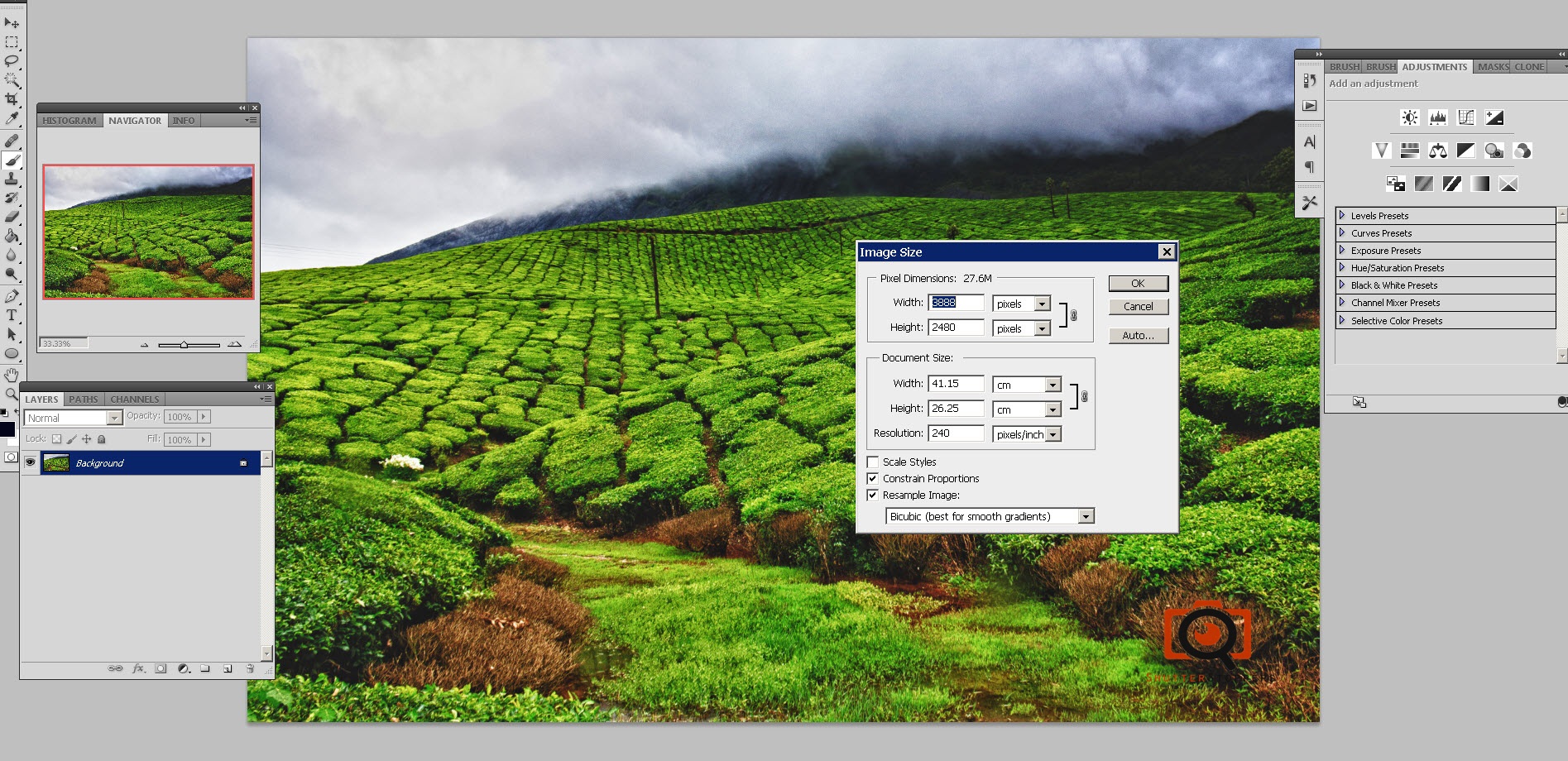
Step 1: Open the image in photoshop and Go to Image, Image size (alt+ctlr+I)
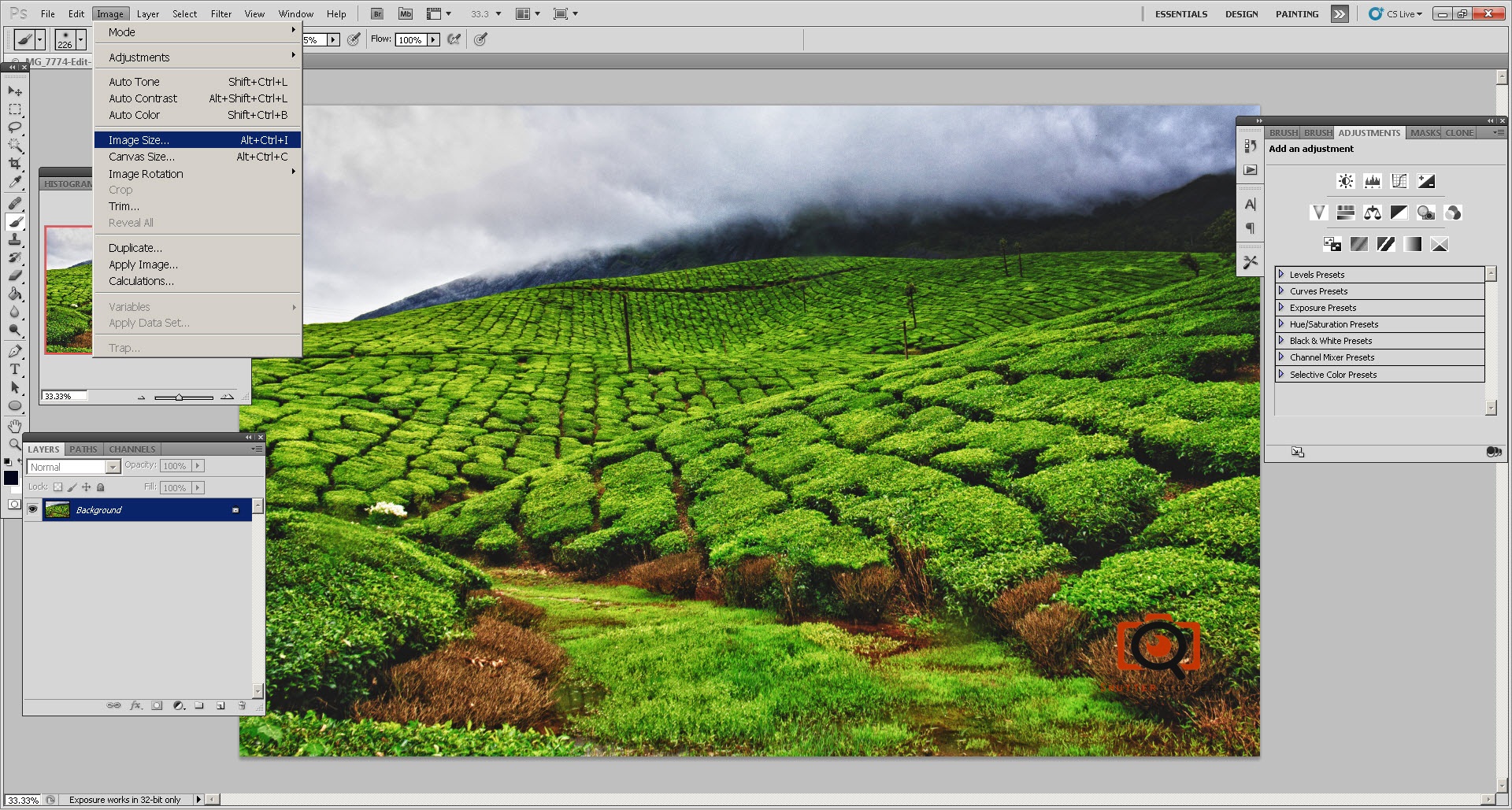
Step 1: Go to Image, Image size (alt+ctlr+I)
Make sure you have checked ‘Constraint proportions’ , ‘Resample Image’ (as shown below)
Step 2: Resize the images by changing the parameters below. Since you have checked ‘constraint proportions’, changing one of the parameters will change the other one.
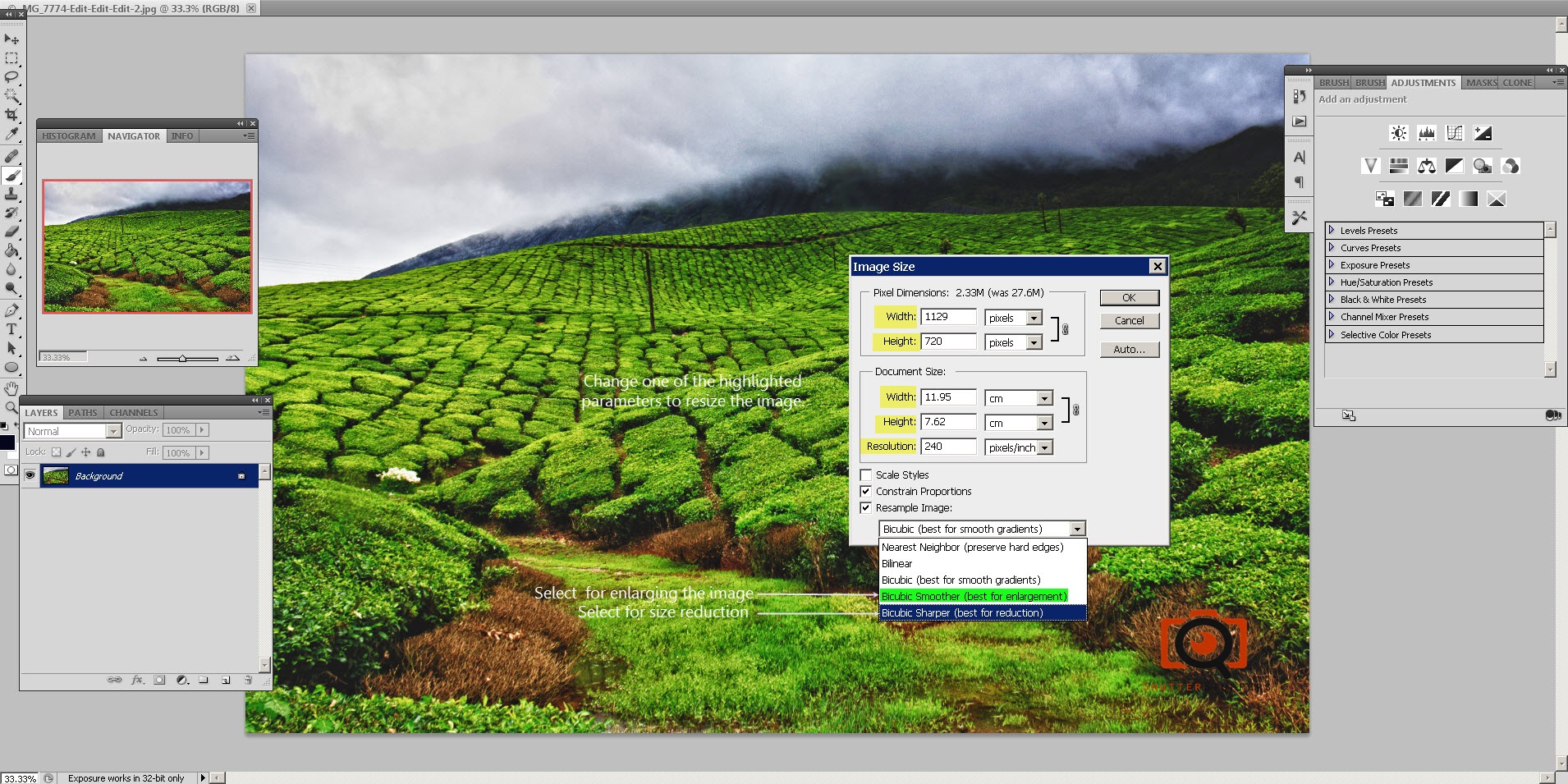
The best image resizing algorithm for reduction is ‘Bicubic sharper’ and for enlargement is ‘Bicubic’
Here is a comparison of image resize using ‘Bicubic sharper’ algorithm.
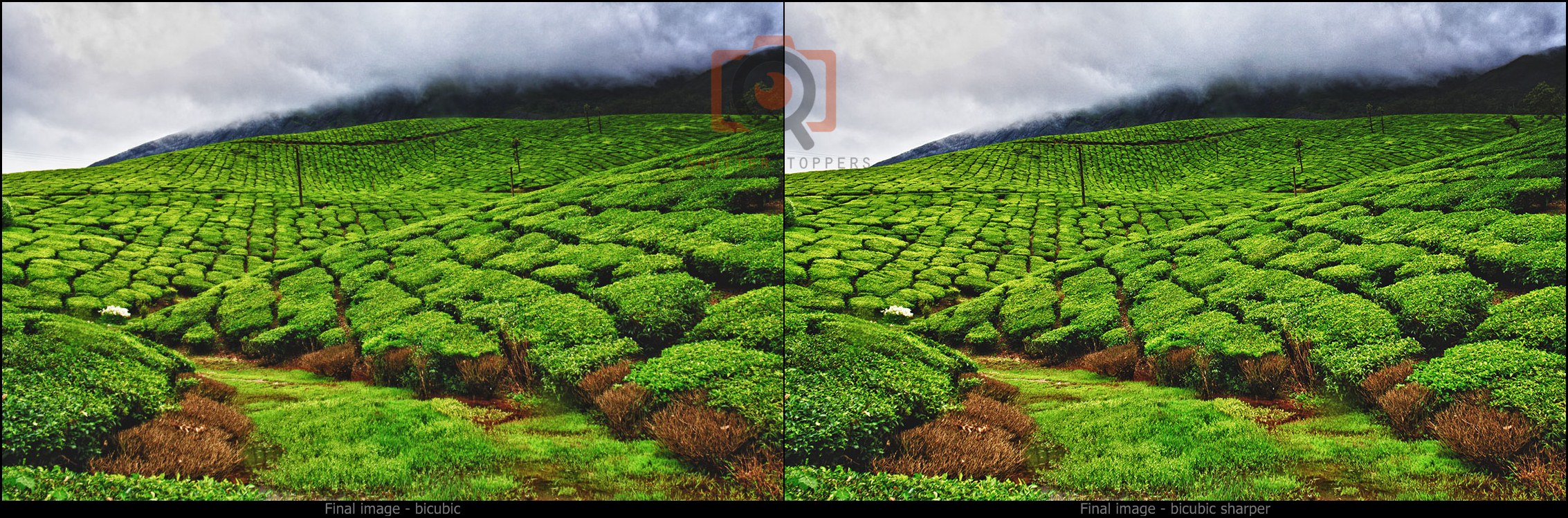
This algorithm slightly sharpens the image
Click the image to enlarge