


Lightroom 5 Beta Released
Good news to all Lightroom users. Adobe released Lightroom 5 beta for free download. I know what are thinking right now. You must be wondering what the changes are in this new version of Lightroom. I am a huge fan of lightroom, so I immediately downloaded the lightroom 5 beta as soon as I heard the news. I processed some of my photographs to check out the new features in the beta version. I was impressed by the new functions in this version. Most of the improvements are in the localised adjustment areas. In this post I am going to show you some of the features in this beta version.
Below are the new features in lightroom 5 beta
Smart preview: This is one of the cool features I like in this version. Infact, it is one of my favourites. Smart preview allows you to work with small version of the original image files so that you don’t have to connect to your image library while processing the images. This is quite useful for those who use external hard drive for storing lightroom catalog.
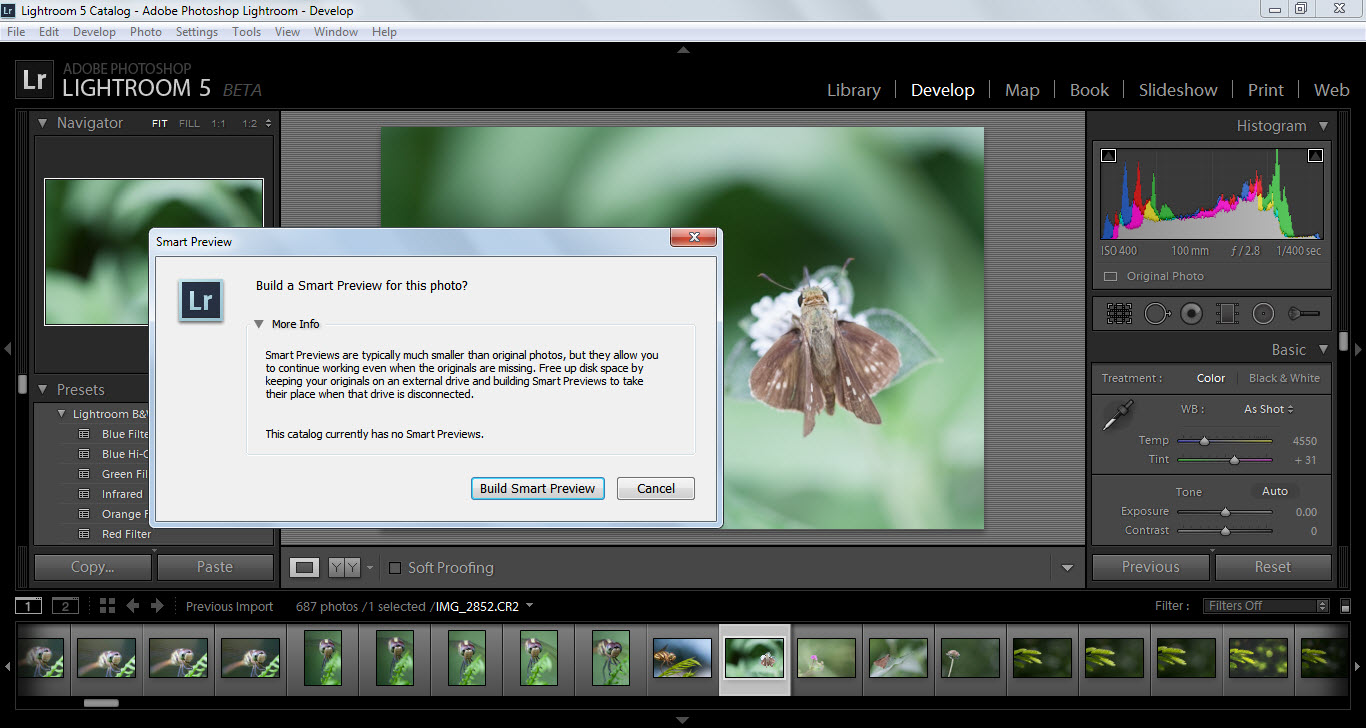
Smart preview (click to enlarge)
Upright: This feature automatically corrects perspective and tilt in photographs. So you don’t have to spend hours correcting it in photoshop. This is one of the improvements I was expecting to see in lightroom. One of the cool things is that it can even correct the tilt even if the horizon is hidden.
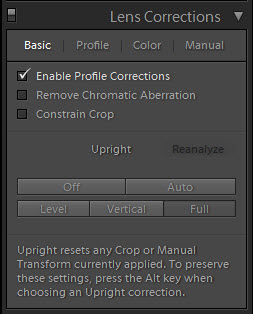
Upright Feature
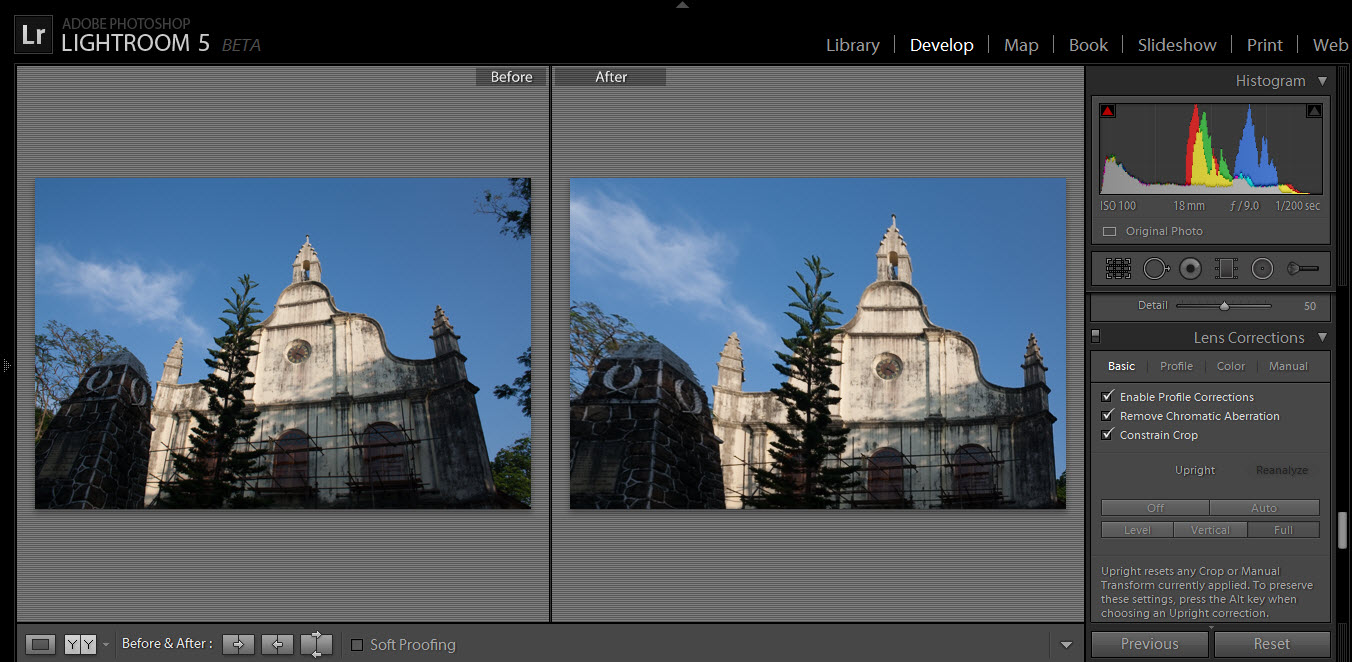
Perspective change using the upright feature
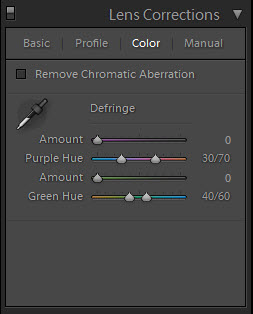
Another new feature in the lens correction section is the ‘Color’. It will help you to remove chromatic aberration or color fringing in photographs. But I don’t see why this is necessary since the defringe slider in the adjustment brush does the job.
Advanced Healing brush tool: With this improved tool, you can easily remove elements in photographs. If you want to remove something in a photograph, just brush over it and lightroom will find a suitable match. It is very easy to use, and the result is really impressive.
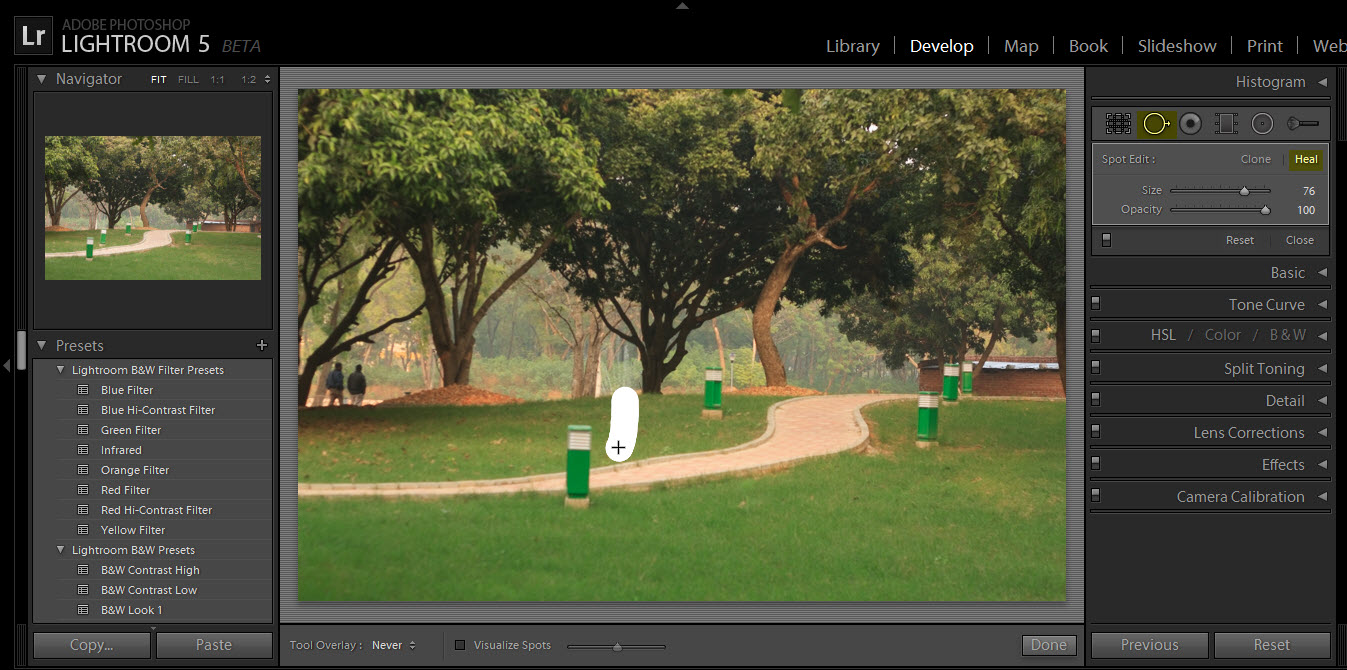
Just brush over the area to remove.
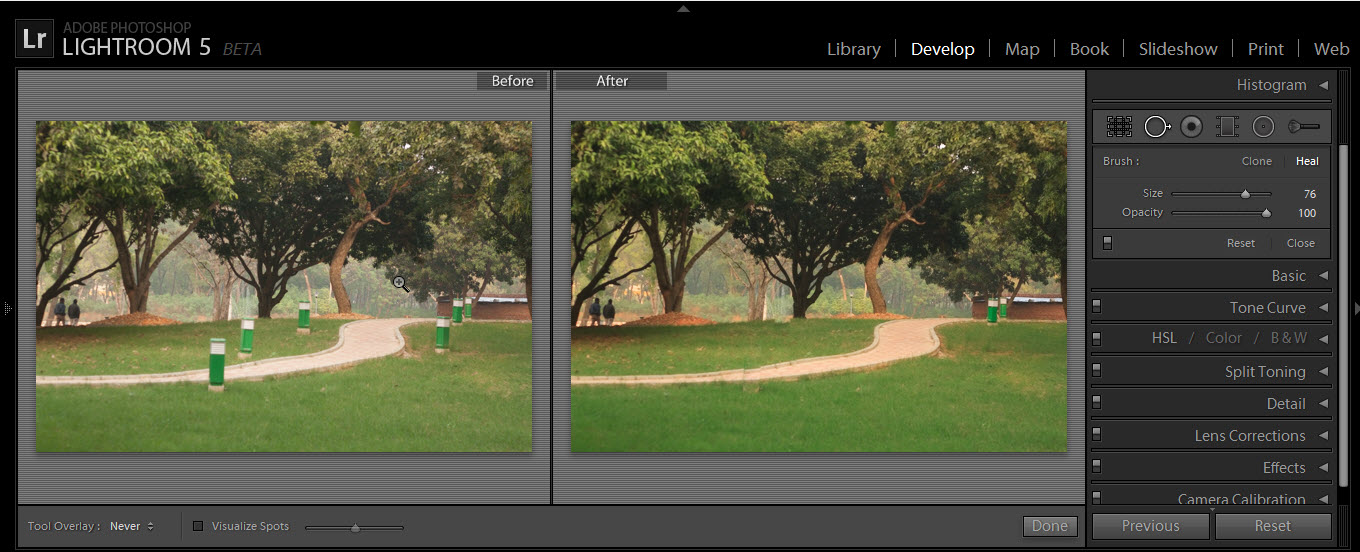
Click to enlarge
Radial gradient filter: Situated between the adjustment brush and the density gradient filter is the radial gradient filter. With this tool you can create an off-center vignette. The radial filter allows you to make localized changes in an image which can be used to grab viewers’ attention.
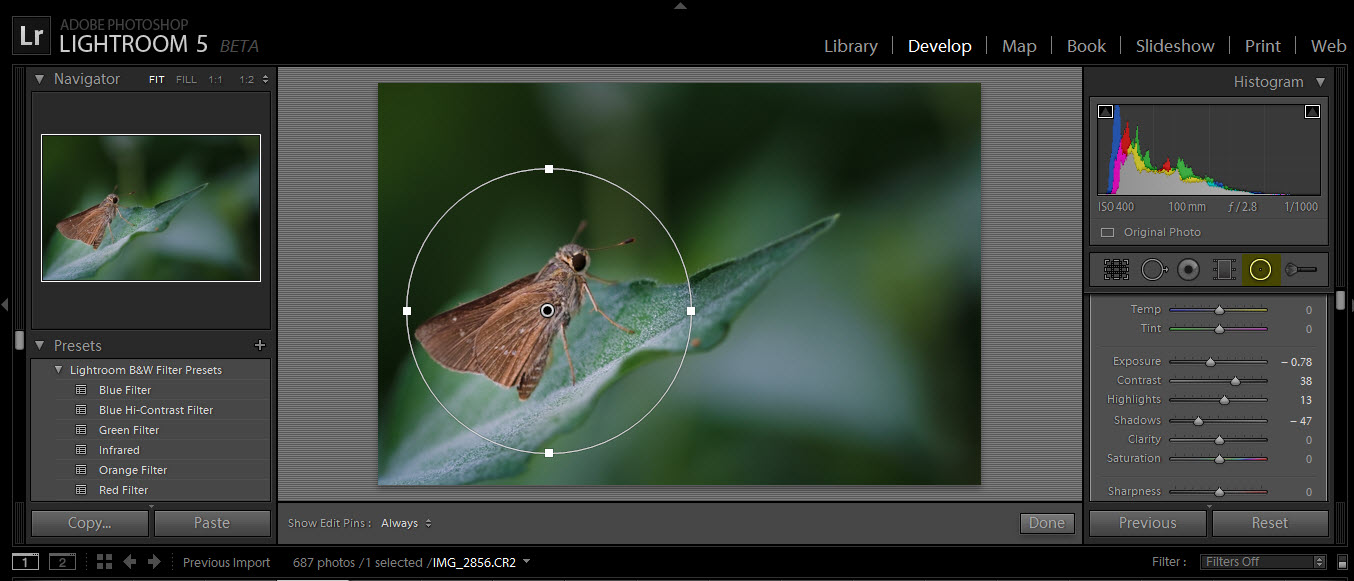
Radial filter tool
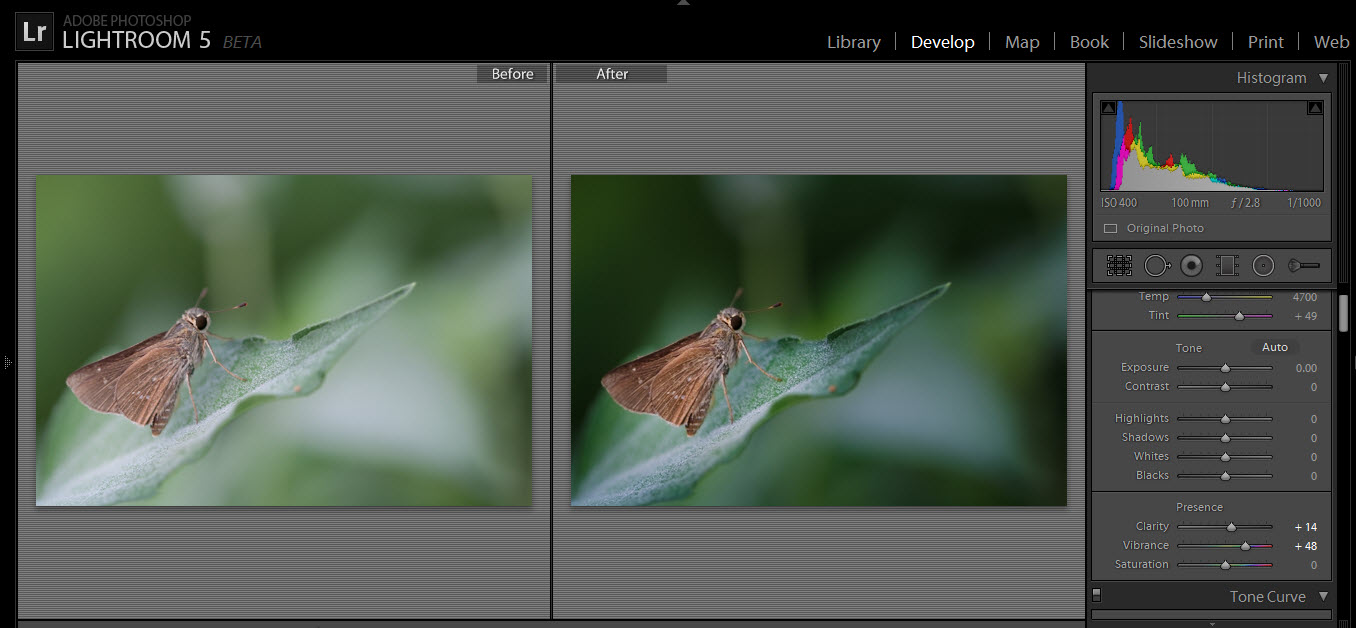
Click to enlarge
Other changes are video slideshow sharing and photobook creation.
Here are some videos which explains the features I mentioned above (courtesy: Lightroom youtube channel)
[video width="600" height="400" ]http://www.youtube.com/watch?v=s2xNLS0KjcY[/video]
[video width="600" height="400" ]http://www.youtube.com/watch?v=ewx5xwLdhX0[/video]
[video width="600" height="400" ]http://www.youtube.com/watch?v=x4-V2hLgf7Q[/video]
So, these are the features you will see in this beta version. Remember that it is just a beta version. The final release will have more features and improvements. But I would recommend you to give it a try, and give your feedback to adobe.
Go ahead and check out lightroom 5 beta: Download Lightroom 5 beta for free
NOTE: Since this is just a beta version, you should not replace your current version of lightroom catalog (lightroom 4 or earlier). I would suggest you to use this beta version for testing purpose only. In the final release, lightroom will allow you to upgrade your current version of lightroom 4 catalog to the new one.
Let me know your comments.